
Paul’s Perspective:
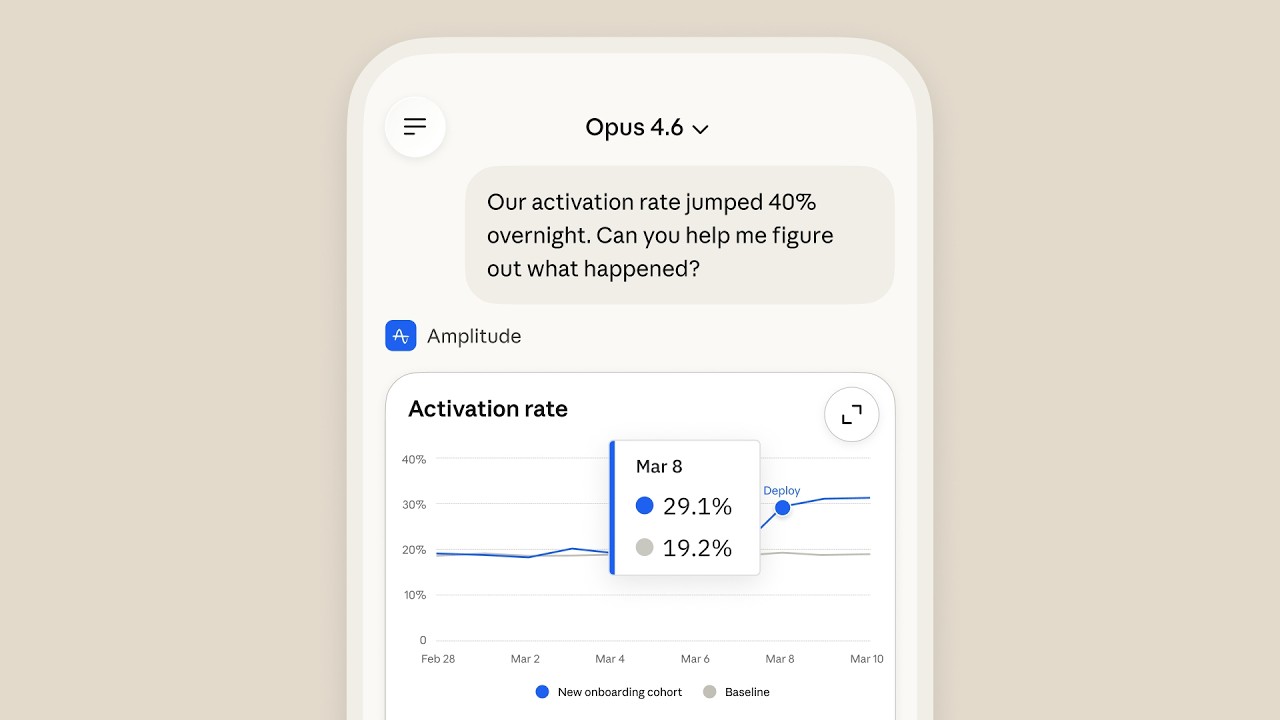
When your AI assistant can run interactive tools inside the chat, it shifts from “answering questions” to “producing work.” For leaders, that’s a practical productivity unlock: fewer context switches, faster decisions, and more consistent outputs your team can reuse and share.
Key Points in Video:
- Interactive visuals render directly in the conversation, reducing back-and-forth between separate apps for analysis and asset creation.
- Supports use cases like pulling up live charts, sketching diagrams, and generating share-ready outputs from a mobile device.
- Available on both iOS and Android via claude.com/download.
Strategic Actions:
- Install or update the Claude mobile app on iOS or Android.
- Connect to supported interactive apps within Claude.
- Use live charts to explore and validate data in real time.
- Sketch diagrams to map processes, systems, or concepts visually.
- Generate and share visual assets directly from the conversation.
The Bottom Line:
- Claude’s mobile app can now run fully interactive app experiences inside the chat, including live charts, diagrams, and shareable visual assets.
- This turns the conversation into a hands-on workspace, making it faster for teams to explore data, prototype ideas, and produce usable outputs on the go.
Dive deeper > Source Video:
Ready to Explore More?
If you want to turn tools like this into real workflow gains, we can help your team identify high-value use cases and integrate AI-driven, shareable outputs into day-to-day operations. Our team can map the process, pick the right apps, and get it adopted without adding complexity.