Paul’s Perspective:
Most companies struggle with AI initiatives because they’re fragmented across tools, prompts, and one-off experiments. A shared chat layer tied directly to automations and agents reduces friction, improves reuse and governance, and helps teams move from “trying AI” to operationalizing it in day-to-day work.
Key Points in Video:
- Supports multiple agents in one place, with conversation history for continuity and handoffs.
- Works across n8n Cloud, self-hosted, and enterprise plans, including the free Community Edition.
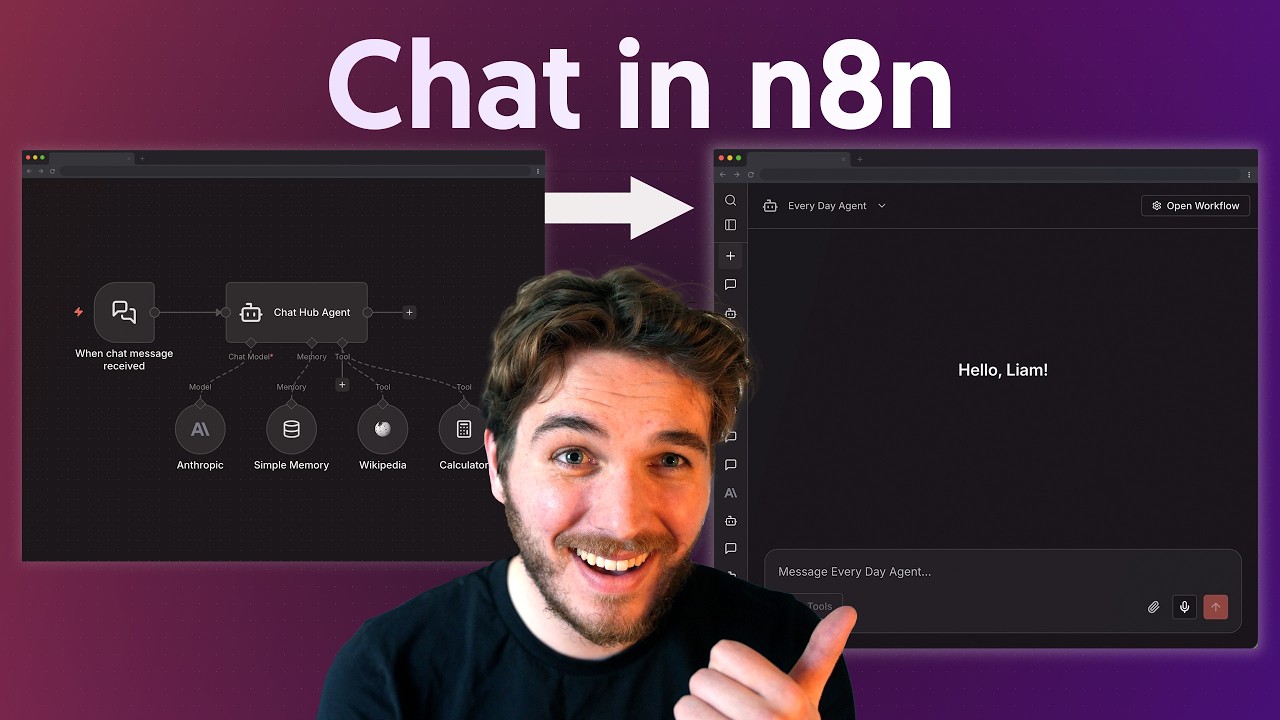
- Includes two agent types: simpler personal agents and workflow agents for maximum flexibility.
- Requires upgrading to n8n version 2.5.2 or later to access Chat Hub.
Strategic Actions:
- Upgrade n8n to version 2.5.2 or later to enable Chat Hub.
- Open Chat Hub and start a conversation from the centralized chat interface.
- Choose how you want to use AI: chat with a provider model directly (no lock-in) or chat with an agent.
- Set up a personal agent for simpler, individual use cases.
- Set up a workflow agent when you need deeper automation and maximum flexibility.
- Add and manage multiple agents in one hub for different roles or functions.
- Use conversation history to preserve context and support collaboration across users.
The Bottom Line:
- Chat Hub adds a single chat interface to interact with your n8n AI agents, workflows, or directly with provider models without lock-in.
- It makes AI automation easier to adopt across teams by centralizing conversations, context, and multi-agent access on cloud or self-hosted deployments.
Dive deeper > Source Video:
Ready to Explore More?
If you want to turn AI chat into real business automation, we can help our team design the right n8n agents and workflows, then roll them out in a way your people will actually use. Reach out if you’d like us to map a few high-value use cases and build a quick pilot together.